

AI automation
Why AI Automation Projects Fail After Launch Today
Zhorx · September 2, 2026 · 10 min read
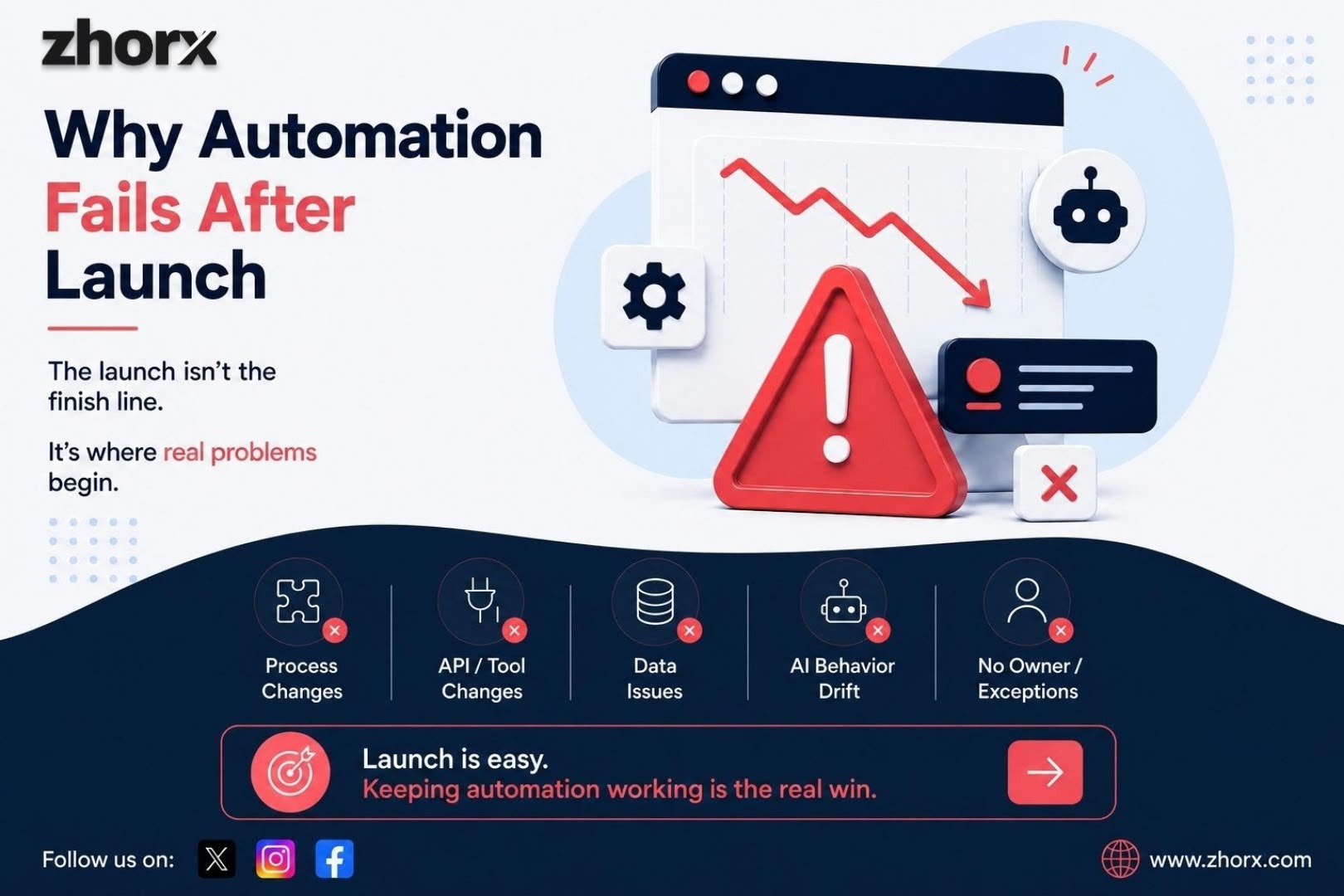
An AI automation can work perfectly during a demo and still become a problem a few months later. The workflow may stop triggering, an API may change, a CRM field may be renamed, an AI model may behave differently, or the business process itself may change. Sometimes nothing technically breaks the automation simply stops producing the business result it was built to deliver.
That is the part many AI automation conversations leave out. The launch is not the finish line. It is the point where the automation starts meeting real customers, real data, real exceptions, real software changes, and real business pressure.
In this guide, we will look at why AI automation projects fail after launch, what usually goes wrong, how to detect problems before they become expensive, and what a reliable post launch operating system should look like.
If you want to review your current automation setup, visit . free automation audit
The Real Reason AI Automation Fails After Launch
The biggest mistake is treating automation like a one-time project instead of a live business system. A workflow is often considered successful when it is built, tested, and turned on. But production success is different.
A successful automation must continue to do three things over time: run reliably, produce useful outputs, and create the business outcome it was designed for. If any of those three decline, the automation can be technically ‘working’ while the business is effectively losing value.
Recent industry guidance increasingly emphasizes monitoring, ownership, testing, human fallback, and lifecycle management after deployment. For example, current AI automation maintenance guidance recommends visible run history, failure alerts, test cases, access controls, change records, and manual fallbacks rather than assuming a workflow is finished at launch.
1. The Business Process Changes
Businesses rarely stay exactly the same. A sales team changes its qualification rules. A company adds a new CRM field. A form is redesigned. A new approval step is introduced. A department changes who receives notifications.
The automation may continue executing its original instructions while the business has already moved on.
For example:
- A lead-routing workflow sends leads to a salesperson who no longer handles that territory.
- A customer onboarding workflow still asks for information the company no longer requires.
- A reporting workflow pulls data from a spreadsheet that has been replaced.
- A follow-up sequence continues sending messages even though the sales process has changed.
The lesson is simple: automation has to evolve with the process it supports. Post launch reviews should therefore ask not only ‘Is the workflow running?’ but also ‘Is this still the right workflow?’
2. APIs and Connected Tools Change
Most business automations depend on several systems working together: a website, CRM, email platform, calendar, payment system, database, messaging tool, or other API.
If one connected system changes its API, authentication method, field structure, rate limits, or available actions, a workflow can fail even though nobody changed the automation itself.
This is one reason ‘build it and forget it’ is risky. Automation lives inside an environment that keeps changing.
A reliable setup should have a clear record of integrations, dependencies, credentials, error states, and fallback behavior. When something changes, the team should know what could be affected and what needs to be tested.
3. AI Behavior Can Change Even When the Workflow Does Not
Traditional rule-based automation is relatively predictable: if condition A happens, perform action B. AI introduces another layer because the system may interpret language, classify information, summarize content, generate responses, or make decisions.
That means an automation can remain technically connected while the quality of its output changes.
A prompt that worked well with one model version or one set of customer messages may need adjustment when the model, context, knowledge source, or business policy changes.
For AI-powered workflows, monitoring should therefore include both technical health and output quality. Depending on the use case, useful signals can include escalation rate, manual correction rate, false positives, failed runs, response quality, task completion rate, and cost per successful task.
4. Nobody Owns the Automation After Launch
One of the most overlooked failure points is ownership.
During implementation, there may be a project manager, developer, business owner, and vendor involved. After launch, everyone assumes someone else is watching it.
Then a failure happens. The sales team notices leads are missing. Customer support notices replies are delayed. Finance discovers that a report is incomplete. Nobody knows whether the problem is in the workflow, the API, the data, the AI step, or the business process.
Every production automation should have a clear owner and a clear escalation path. The owner does not necessarily need to be the person who built it, but someone must be responsible for knowing whether it is healthy and what happens when it is not.
5. Exceptions Were Never Designed
Automations are often designed around the normal case. Real businesses run on exceptions.
A lead submits an incomplete form. A customer uses an unusual name. An invoice contains a new layout. A payment fails. A customer asks for something outside the AI agent’s permitted scope. A CRM record already exists but uses a different email address.
If the workflow has no defined response for these situations, it can stop, create incorrect data, or continue with an unsafe assumption.
A better design gives important exceptions somewhere to go. That might mean a retry, a queue, a human review step, a notification, or a controlled fallback.
6. The Automation Is Measured by Activity Instead of Business Results
A dashboard saying ‘10,000 tasks completed’ does not prove that an automation is valuable.
The better question is whether the workflow improved the business outcome it was designed to improve.
- Did lead response time decrease?
- Did more qualified leads reach the sales team?
- Did manual processing hours fall?
- Did errors decrease?
- Did appointment bookings increase?
- Did customer response time improve?
- Did the cost per completed task stay reasonable?
Before launch, define a small set of business metrics and record the baseline. After launch, compare the results at regular intervals. This makes it possible to tell the difference between an automation that is running and an automation that is actually working.
7. There Is No Monitoring or Alert System
A workflow that fails silently can be more dangerous than a workflow that fails visibly.
If an automation sends an error notification immediately, someone can investigate. If it fails without anyone noticing, the business may discover the problem days or weeks later.
At minimum, important workflows should make it possible to see successful runs, failed runs, retries, exceptions, and manual interventions. High impact workflows should also have alerts and a documented response process.
Monitoring should be proportional to risk. A low-risk internal reporting workflow does not need the same controls as an automation that communicates with customers, processes payments, or changes important business records.
8. The Automation Was Never Tested With Real-World Edge Cases
A clean demo is not the same thing as production readiness.
Test data usually follows the happy path. Production data does not.
Before and after launch, test the workflow against realistic variations: missing fields, unexpected formats, duplicate records, unusual requests, failed integrations, slow responses, and cases where the AI should hand the task to a person.
A useful practice is to maintain a small ‘known cases’ test set. When a prompt, model, integration, or workflow rule changes, run those cases again before releasing the change. This turns maintenance from guesswork into a repeatable process.
9. Human Handoffs Are Missing
The goal of AI automation should not always be maximum autonomy.
Some tasks are safe to automate end to end. Others should pause when the system reaches a sensitive, unusual, expensive, or uncertain situation.
A strong workflow knows when to continue and when to ask for help.
For example, an AI lead-qualification system can classify routine enquiries automatically but route high value or ambiguous leads to a salesperson. A support agent can answer common questions while escalating billing disputes or unusual requests.
Human review is not a failure of automation. In the right place, it is a reliability feature.
10. No One Plans for the Automation to Evolve
The best automations are not static. They become more useful as the business learns from real usage.
Post-launch data can reveal new customer questions, new exceptions, unnecessary steps, bottlenecks, and opportunities for additional automation.
Instead of asking only ‘Did we build it correctly?’, ask every few months:
- What is still being done manually?
- Where are people overriding the automation?
- Which errors happen repeatedly?
- Which step takes the most time?
- Has the business process changed?
- Could another tool or workflow now be connected?
- Is the automation still producing a measurable return?
What a Reliable Post-Launch AI Automation System Looks Like
A production ready automation should have more than a workflow diagram. It should have an operating system around it.
- Clear owner: someone knows who is responsible for the workflow.
- Monitoring: successful, failed, delayed, and exceptional runs can be identified.
- Alerts: important failures reach the right person quickly.
- Fallbacks: the workflow has a safe path when automation cannot complete a task.
- Human handoffs: high-risk or ambiguous cases can reach a person.
- Testing: important changes are checked against known real-world cases.
- Documentation: tools, logic, permissions, dependencies, and recovery steps are recorded.
- Change management: business, API, prompt, model, and workflow changes trigger appropriate review.
- Business metrics: performance is measured against the original business goal.
- Continuous improvement: real production data is used to improve the workflow.
Build vs. Run: The Part Businesses Often Miss
There is an important difference between building an automation and operating an automation.
Building means designing the workflow, connecting the systems, configuring the AI, testing the process, and deploying it.
Running means keeping that system useful after real-world conditions begin to change.
That includes monitoring, fixing broken integrations, updating workflows when business rules change, improving AI instructions, handling exceptions, reviewing performance, and documenting changes.
This is why the cheapest looking automation project is not always the cheapest over time. A workflow that saves 20 hours a week but quietly breaks every time a connected system changes can create more operational work than it removes.
How to Prevent AI Automation Failure After Launch
Before deploying an automation, ask these questions:
- Who owns the workflow after launch?
- How will we know when it fails?
- What counts as a successful business outcome?
- What happens when the AI is uncertain?
- Where does an exception go?
- What happens if an API or connected tool changes?
- How will we test future changes?
- Who can approve high-impact actions?
- What documentation will exist six months from now?
- When will the workflow be reviewed and improved?
If these questions do not have clear answers, the project may be ready for a demo but not ready to become part of the business.
Final Takeaway
AI automation projects rarely fail simply because the AI was not powerful enough. More often, they fail because the workflow was treated as finished too early.
Real production environments change. Customers behave differently. Data gets messy. APIs evolve. Business rules change. AI outputs need review. People change roles. New tools are introduced. What worked on launch day has to keep adapting.
The businesses that get lasting value from AI automation treat it as a living business system not a one time installation.
If you are planning an automation, start with the business process, define the outcome, design the exceptions, decide where humans should stay involved, and plan for monitoring and maintenance before the workflow goes live.
And if you want to understand where automation could make the biggest difference in your current processes, you can start with a Zhorx automation audit or explore Zhorx projects to see how production-ready automation can be designed and managed.
FAQs
Why do AI automation projects fail after launch?
Common reasons include changing business processes, broken integrations, poor data, missing monitoring, unclear ownership, weak exception handling, changing AI behavior, and measuring activity instead of business outcomes.
Does AI automation need maintenance after it is deployed?
Yes. Important workflows should be monitored and reviewed because connected tools, APIs, business rules, prompts, models, data, and customer behavior can change over time.
Who should monitor an AI automation?
A named owner should be responsible for business performance and escalation. Depending on the workflow, technical monitoring and maintenance may be handled by an internal team, the implementation partner, or a managed automation provider.
How often should an AI automation be reviewed?
There is no single schedule for every workflow. High impact workflows should be monitored continuously and reviewed more frequently, while lower-risk workflows can be reviewed on a less frequent schedule. A review should also happen after major tool, API, model, prompt, or business-process changes.
What is the difference between an automation that runs and one that works?
A workflow can complete technical steps successfully without creating the intended business result. A working automation should be measured against outcomes such as response time, hours saved, error reduction, conversion, throughput, or customer experience.
Want a second opinion on your list?
Send it over. We’ll tell you where we’d start, and what we’d leave alone.