

Lead Management
How to Stop Losing Leads After They Fill Out a Form
Zhorx · August 31, 2026 · 11 min read
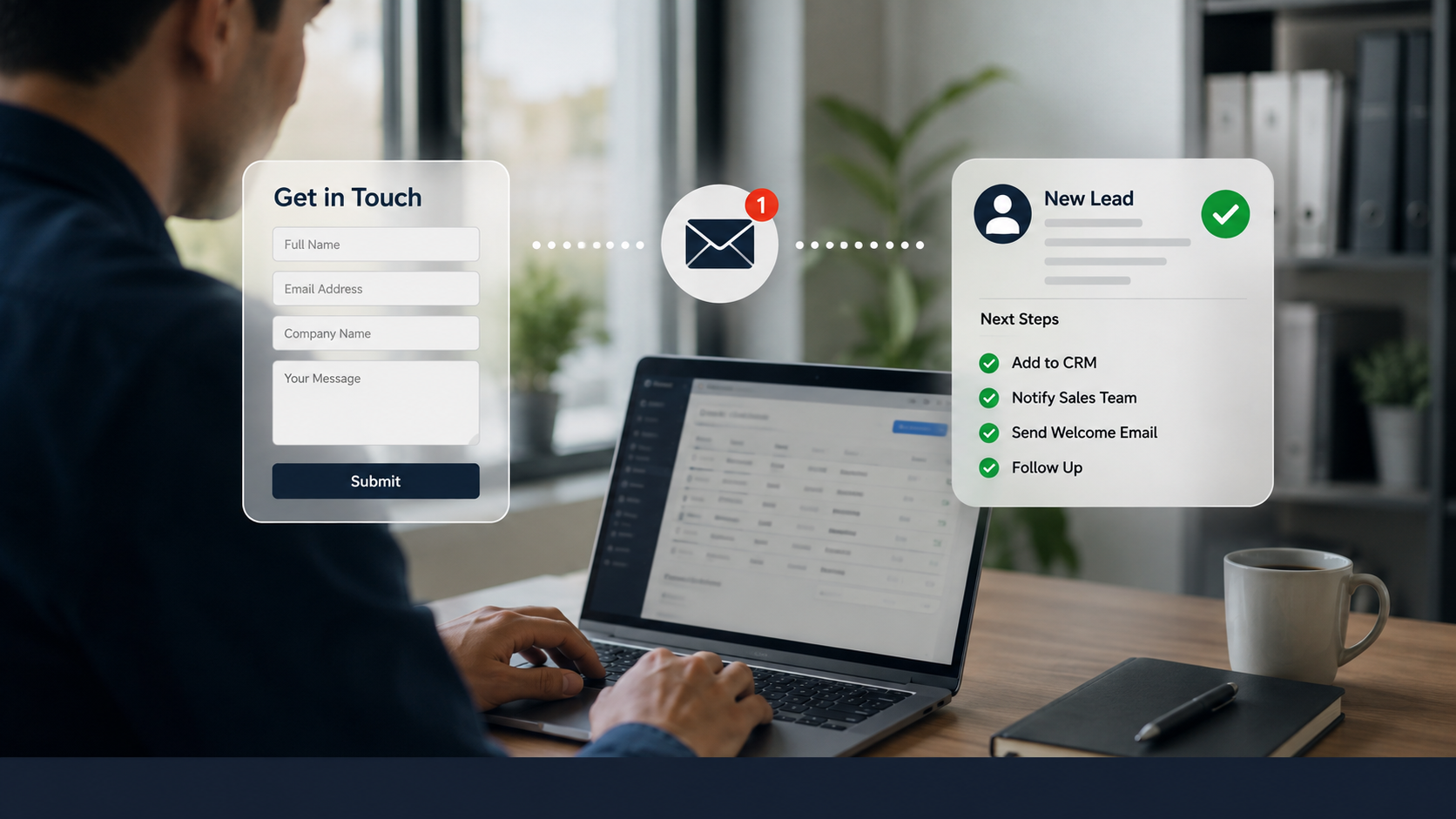
A form submission is not the end of the marketing process. It is the moment a potential customer has raised a hand and asked for attention. Yet many businesses lose that opportunity because the lead sits in an inbox, reaches the wrong person, enters the CRM without an owner, or receives one automated email and nothing more.
The problem is often not a lack of leads. It is what happens in the minutes and hours after the form is submitted. If a prospect is ready to talk and the business responds slowly, the prospect may contact a competitor, lose interest, or simply move on.
Learning how to stop losing leads after they fill out a form means improving the entire handoff from form submission to human conversation. That includes response speed, lead routing, follow-up, CRM visibility, and the rules that determine when automation should support the sales team.
Why Form Leads Go Cold After They Submit an Enquiry
A form creates a signal of interest, but it does not guarantee that the person will remain interested. The longer a business takes to respond, the more likely the context behind the enquiry is to fade. A prospect who was actively comparing providers at 10:00 in the morning may be focused on something completely different by the afternoon.
Research on lead response consistently points to the importance of speed. An Inside Sales study covering more than 55 million sales activities and 5.7 million inbound leads reported that conversion rates were eight times higher when the first response occurred within five minutes compared with later response windows. Earlier research associated with MIT and Inside Sales found that contacting a lead within five minutes rather than 30 minutes dramatically increased the odds of contact and qualification. These figures come from specific datasets and should not be treated as a guarantee for every industry, but they demonstrate the commercial importance of response time.
Slow response is only one failure point. Leads can also be lost when nobody clearly owns them, when the form captures incomplete information, when a sales representative does not know what the prospect requested, or when the first response is treated as the entire follow-up process.
This is why lead management should be viewed as a connected process rather than a single notification. A form submission needs a clear destination, an accountable owner, a timely response, and a defined next action.
Build a Lead Response Process That Starts Immediately
A strong lead response process begins the moment the form is submitted. The business should already know what happens to the information, who receives it, how quickly the prospect receives an acknowledgement, and what happens if the assigned sales representative does not respond.
The first message should confirm that the enquiry has been received and set a realistic expectation for what happens next. This does not mean sending a generic sales email and considering the lead handled. The acknowledgement should support the transition to a real conversation.
The internal process is equally important. If a form submission creates an email notification but nobody is responsible for taking action, the notification has only moved the problem from one place to another. A better process assigns ownership and creates a visible task or status that the team can act on.
For businesses that are unsure where leads are being delayed or which repetitive steps are creating gaps, a free automation audit can help identify workflow bottlenecks, manual handoffs, repetitive tasks, and practical opportunities to improve lead management.
Make Lead Routing and Ownership Clear
A lead should never enter a system without a clear answer to one basic question: who is responsible for the next action? Without ownership, even a fast notification can result in delay because several people assume someone else will respond.
Lead routing can be based on factors such as service requested, location, company size, customer type, availability, or the team member responsible for a particular account. The important point is that the rule should be clear enough to apply consistently.
CRM visibility also matters. Sales representatives need enough context to understand why the person submitted the form, what information they provided, and what action is expected. When the salesperson has to search through emails or ask another team member for basic details, valuable time is lost.
A useful lead record should therefore connect the original enquiry with its owner, status, communication history, next task, and relevant customer information. This creates accountability and makes it easier for managers to see where opportunities are getting stuck.
Zhorx approaches this type of automation by connecting the systems a business already uses and building practical workflows around its existing sales process. The goal is not to add complexity. It is to reduce the manual movement of information that causes leads to disappear between systems.
Do Not Treat the First Response as the Entire Follow-Up Process
One of the most common lead management mistakes is assuming that a single response is enough. A prospect may not reply because the timing is wrong, the message does not answer their question, or they need more time to make a decision. No response does not always mean no interest.
Follow-up should therefore continue with a clear purpose. The next message might clarify a requirement, answer a common question, offer useful information, confirm whether the prospect still needs assistance, or suggest a specific next step. The exact cadence depends on the business and sales cycle, but the process should be defined rather than left to memory.
Persistence also needs boundaries. A workflow should not send endless messages simply because a lead has not replied. It should recognize when the lead has responded, booked a meeting, requested no further contact, or reached a point where a human needs to decide what happens next.
The strongest approach combines consistency with relevance. Automation can make sure a follow-up task is created or a routine message is sent, while the sales representative remains responsible for meaningful conversations.
A Practical Example: From Missed Form Leads to a Reliable Sales Workflow
Consider a professional services company that receives quote requests through its website. The manual process looks simple on paper, but several small delays can cause leads to disappear.
- Website enquiry arrives
- Email notification reaches a shared inbox
- A team member notices the enquiry
- Lead details are manually copied into the CRM
- A salesperson is asked to respond
- The first response is sent
- A reminder is created manually
- The salesperson follows up if the prospect does not reply
In a busy week, the process can break at almost any point. The email may be missed, the CRM entry may be delayed, or the follow-up reminder may never be created.
The automated version connects those actions into one workflow. The form submission can create or update the CRM record, assign the lead to the appropriate person, notify the sales representative, send a timely acknowledgement, and create a follow-up task. If the prospect replies, the workflow can update the record and stop the routine follow-up sequence so the salesperson can take over.
This type of workflow does not remove the salesperson from the process. It protects the salesperson from repetitive administration and gives them a clearer view of what needs attention. The customer still receives a human response when the conversation requires judgement, clarification, negotiation, or professional advice.
Businesses exploring practical examples of how these kinds of workflows can be implemented can review automation projects to see how connected processes can be designed around specific operational requirements rather than forcing every business into the same system.
What Should Be Automated and What Should Stay Human
Not every part of lead management should be automated. The most suitable tasks are usually repetitive, predictable, frequent, and governed by clear rules. These tasks can be handled consistently without requiring a salesperson to make a new decision every time.
Lead capture, CRM record creation, lead assignment, internal notifications, appointment confirmations, routine reminders, and status updates are common examples. These actions can reduce administrative work and help the team respond more consistently.
Human involvement becomes more important when a prospect has a complex requirement, asks for advice, raises a complaint, negotiates pricing, or represents a high-value opportunity. In these situations, an automated sequence should not continue simply because the system has not reached the end of its schedule.
A well-designed workflow includes stopping conditions and handoff rules. A reply, booked meeting, request for a call, or specific buying signal can move the lead from an automated sequence to a person. This is how automation supports sales rather than trying to replace the sales relationship.
Common Mistakes That Cause Businesses to Lose Leads
The first mistake is measuring only the number of form submissions. A business can celebrate a growing lead count while losing a large percentage of those opportunities after submission. The more useful question is what percentage of leads receive a timely response and progress to the next stage.
Another mistake is relying on a generic auto-response as the main sales follow-up. An immediate acknowledgement can be useful, but it does not replace a personalized response when the situation requires one. Inside Sales research has also highlighted the difference between fast automated responses and meaningful sales engagement.
Poor lead routing is another major problem. If every enquiry enters the same inbox or CRM queue without clear ownership, response time becomes dependent on individual memory and availability. The system should make responsibility visible.
Businesses also lose leads when follow-up depends entirely on memory. Salespeople have meetings, proposals, customer calls, and administrative work competing for attention. A defined task or workflow can protect opportunities without requiring the salesperson to remember every deadline.
Finally, businesses often automate too much too soon. A workflow built around an unclear process can reproduce the same problems at a faster speed. The process should be understood first, then improved, then automated where automation genuinely adds value.
How to Build a Lead Follow-Up Workflow That Scales
Start by mapping the journey from form submission to the first meaningful sales conversation. Identify every handoff, notification, data entry task, follow-up point, and decision. This makes it easier to see where leads are waiting and where information is being duplicated.
Next, define the rules. Decide what qualifies as a new lead, who receives it, what information must be captured, how quickly the first acknowledgement should be sent, when a salesperson should be notified, and what happens when the prospect does not respond.
The workflow should then be tested against realistic situations. Test a normal enquiry, an incomplete form, a high-priority lead, a lead that replies immediately, a lead that does not respond, and a lead that needs human attention. These tests reveal gaps that may not be visible in a simple diagram.
After launch, measure the outcome rather than assuming the workflow is successful because messages are being sent. Useful measures include response time, contact rate, follow-up completion, lead qualification, conversion rate, sales cycle length, and the percentage of leads that remain without an owner.
This approach also makes improvement easier. If response time is excellent but qualification remains weak, the issue may be messaging or sales handling. If leads are being contacted but follow-up is inconsistent, the workflow may need better task management. Automation should make these problems easier to identify, not hide them.
Key Takeaways
- A form submission is a buying signal that needs a clear and timely next action.
- Fast response matters because lead interest can decline quickly after an enquiry.
- Every lead should have a clear owner, visible status, and defined next step.
- One acknowledgement email is not the same as a complete follow-up process.
- Automation is well suited to repetitive tasks such as lead capture, routing, CRM updates, reminders, and notifications.
- Human involvement should remain central to complex conversations, negotiation, complaints, and high-value opportunities.
- The best lead workflows are measured by response time, follow-up, qualification, conversion, and revenue rather than by the number of automated actions.
Final Thoughts
Losing leads after they fill out a form is usually a process problem before it is a lead generation problem. When a business has already earned someone’s attention, the next priority is making sure that interest is handled quickly, clearly, and consistently.
A reliable lead management process connects form submissions with ownership, response, follow-up, CRM visibility, and human sales involvement. Automation can strengthen that process by removing repetitive administration and ensuring that important actions do not depend entirely on memory.
Zhorx helps businesses identify repetitive processes, connect existing tools, and build practical automation workflows that improve how work moves through the business. For companies that are generating enquiries but losing opportunities after submission, improving the handoff from form to conversation can be one of the most practical places to start.
Automating In Your Business
If your team regularly copies form information into a CRM, checks shared inboxes for new enquiries, manually assigns leads, creates follow-up reminders, or tries to remember which prospects need attention, the process may contain clear opportunities for automation.
The right solution depends on how your business currently receives, qualifies, assigns, and follows up with leads. A focused workflow review can help separate tasks that should be automated from interactions that should remain human, so the goal is better response and better sales execution rather than automation for its own sake.
FAQs
How can I stop losing leads after they fill out a form?
Create a clear process that responds quickly, assigns every lead to an owner, records the enquiry in the CRM, schedules follow-up, and moves the lead to a person when the conversation requires human judgement.
How quickly should a business respond to a new form lead?
As quickly as practical. Research from Inside Sales and earlier MIT-associated lead response research shows that contacting inbound leads within minutes can produce substantially better contact and qualification outcomes than waiting longer.
What happens if a lead does not respond to the first message?
Do not assume the lead is lost immediately. Use a defined follow-up process with relevant messages and clear stopping conditions, while allowing a salesperson to take over when the situation requires personal attention.
What parts of lead follow-up can be automated?
Lead capture, CRM updates, routing, notifications, appointment confirmations, reminders, and routine follow-up tasks are common candidates. Complex sales conversations should remain with people.
Can automation improve lead conversion?
Yes. Automation can reduce response delays, prevent leads from being forgotten, improve ownership, and create consistent follow-up. The effect on conversion depends on the quality of the overall sales process and the business context.
Want a second opinion on your list?
Send it over. We’ll tell you where we’d start, and what we’d leave alone.