

Lead Follow-Up
How to Automatically Follow Up With Leads
Zhorx · August 27, 2026 · 8 min read
Most businesses do not lose leads because they lack enquiries. They lose them because follow-up is inconsistent. A new enquiry can arrive through a website form, email, booking page, or another channel, but the response may still depend on someone noticing it and remembering what needs to happen next.
As enquiry volume grows, manual follow-up becomes harder to manage. Messages can be delayed, CRM records can remain incomplete, and promising prospects can be forgotten. Lead follow-up automation creates a structured process that keeps routine actions moving without requiring someone to remember every step.
The goal is not to automate every customer conversation. It is to automate repetitive work while keeping people involved when a lead needs personal attention.
Why Lead Follow-Up Matters
A lead is often most engaged when they first contact a business. If the response takes too long, the prospect may lose interest or contact another provider. Consistent follow-up gives the business a better opportunity to continue the conversation while the enquiry is still relevant.
Manual follow-up can also become expensive in terms of time. A team may need to monitor several channels, enter information into a CRM, create reminders, send messages, check replies, and update lead stages. Each action may be simple, but repeated across many enquiries, the process becomes difficult to manage consistently.
Automation turns these repeated actions into a defined workflow. The business decides what should happen when a new enquiry arrives, what happens if the prospect does not respond, and when a team member should take over.
What Is Automated Lead Follow-Up?
Automated lead follow-up is a workflow that manages predefined actions after a new prospect enters a business process. Depending on the sales cycle, it can capture lead information, qualify an enquiry, send an initial response, schedule later communication, update the CRM, and notify a team member.
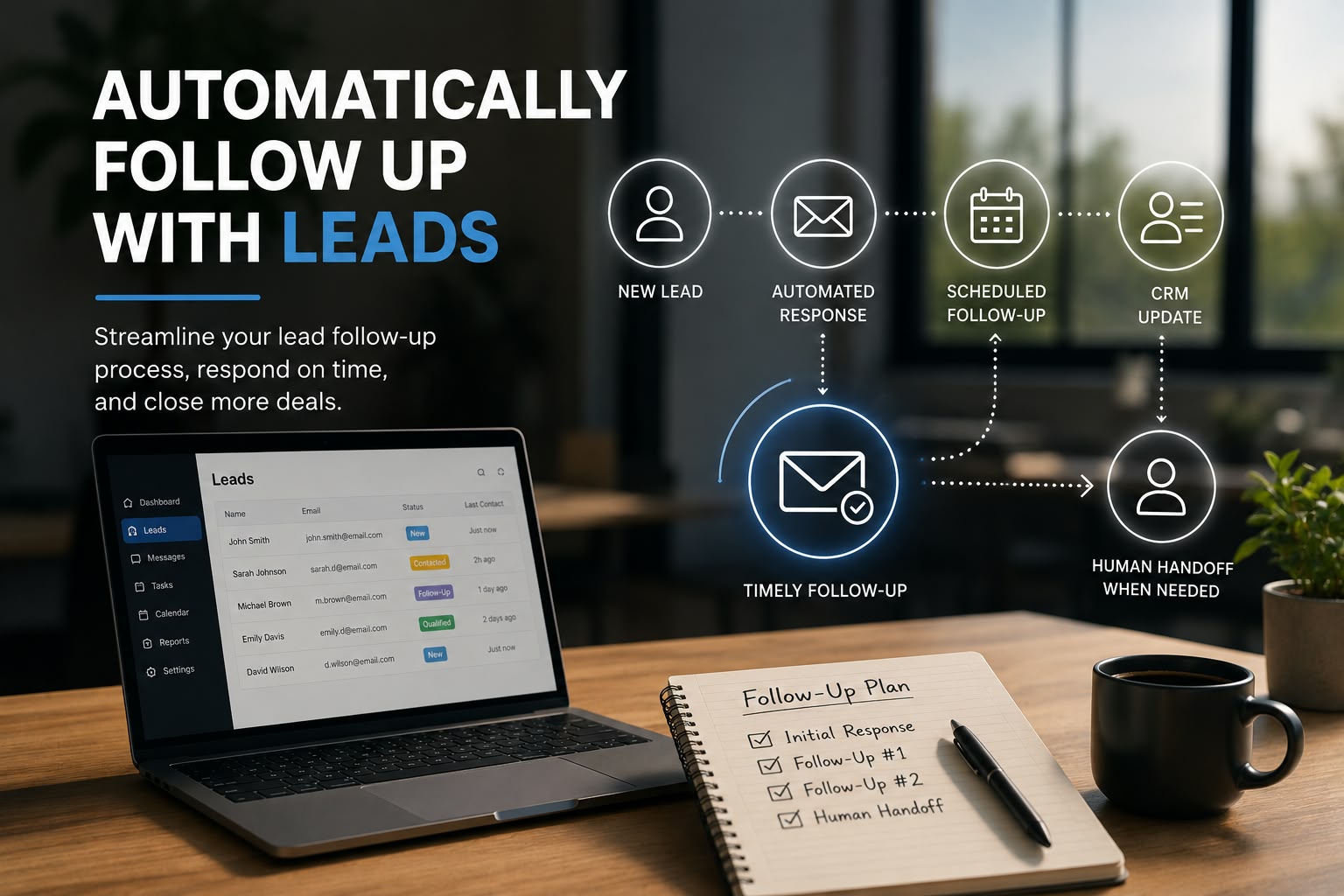
For example, a website enquiry can automatically create a lead record and trigger a confirmation message. The workflow can assign the enquiry to the appropriate person and schedule a later follow-up. If the prospect replies, the automated sequence can stop and the responsible team member can be notified.
A useful workflow should fit the existing sales process. Automation is most effective when it removes repetitive work without creating unnecessary steps or removing the human element from important conversations.
How to Automatically Follow Up With Leads
The first step is to map the journey from the moment a prospect submits an enquiry until the lead either responds, books a meeting, becomes a customer, or is no longer active. This makes it easier to identify which actions are repetitive and which require human judgement.
Start by capturing enquiries from the main lead sources, such as website forms, landing pages, email, booking systems, social media, and live chat. The workflow should collect useful information such as name, contact details, source, requested service, and enquiry details.
Next, define qualification rules. A business may qualify enquiries using service requirements, location, budget, company size, urgency, or purchase timeline. AI can also help interpret written enquiries and route them according to predefined rules.
Once the lead is captured and qualified, the workflow can send an immediate acknowledgement. This message can confirm receipt, provide useful information, explain the next step, or offer a booking option.
If the prospect does not respond, the system can schedule additional communication. The timing should match the sales cycle. Each message should have a clear purpose and provide something useful rather than simply reminding the prospect that the business is waiting.
Personalisation is also important. Information already provided by the prospect can be used to make follow-up more relevant. A person asking about a particular service should receive information connected to that service rather than a generic message.
Create Clear Follow-Up Rules
Before activating a workflow, decide what happens after the first response, how long the system waits before the next message, when a sequence should stop, and which situations require human involvement. Clear rules make the workflow predictable and easier to improve.
Use Human Handoff Where It Matters
A lead should be passed to a person when the conversation involves complex questions, negotiation, complaints, sensitive information, high-value opportunities, or a request to speak with someone. Automation should support the team rather than attempt to handle every situation independently.
Keep the CRM Updated Automatically
Lead follow-up should remain connected to the CRM. When an automated action takes place, the lead record should show the current stage of the conversation. This gives the sales team a reliable view of what has happened and what needs attention.
A workflow can create a lead record, assign an owner, update the lead stage, record communication, create follow-up tasks, schedule reminders, and notify the relevant team member. This reduces manual data entry and helps keep customer information consistent.
A free automation audit can help identify repetitive lead management tasks and areas where automation may improve the existing workflow.
The objective is not necessarily to replace the tools a business already uses. In many cases, automation can connect existing systems so information moves between them without repeated manual entry.
When Should Automated Follow-Up Stop?
Knowing when to stop is as important as knowing when to send a message. If a lead replies, books a meeting, requests a quotation, or starts a direct conversation with a team member, the automated sequence should pause or end.
The workflow can update the lead status, record the interaction, and notify the responsible person. This prevents unnecessary messages after the prospect has already engaged.
Human involvement is particularly important for complex questions, pricing discussions, negotiations, complaints, sensitive enquiries, customised requirements, and high-value opportunities. Clear handoff rules protect the customer experience while allowing automation to handle routine work.
What Should Be Automated?
The strongest candidates are repetitive and predictable tasks that happen frequently and do not require much judgement. Automating these activities can free the team to spend more time on conversations and decisions that require experience.
- Lead capture and initial acknowledgement
- CRM updates and lead assignment
- Follow-up reminders and scheduling
- Routine internal notifications
- Data transfer between connected systems
Not every part of the sales process should be automated. Negotiations, sensitive customer issues, complex consultations, and strategic decisions generally require human involvement. The best workflow creates a balance between efficiency and personal communication.
Common Lead Follow-Up Automation Mistakes
One common mistake is automating before understanding the current process. If the existing process is unclear, automation can simply make an inefficient process happen faster. Businesses should first identify where leads come from, how they are handled, where delays occur, and which tasks are repetitive.
Another problem is sending too many or overly generic messages. Every follow-up should have a purpose. The content should be relevant to the prospect and the stage of the conversation.
Businesses can also create problems by automating communication while leaving CRM updates manual. If the sales team cannot see what happened, they may still lose track of opportunities.
Finally, some workflows do not include a clear human handoff. Automation should always have conditions that move a lead to a person when the situation requires judgement.
A Simple Automated Lead Follow-Up Workflow
Consider a business that receives enquiries through its website. In a manual process, the enquiry is received, an email notification is sent, the response is handled, the CRM is updated, a reminder is created, and the lead is followed up. Every step depends on someone being available and remembering what to do next.
An automated workflow can make the process more consistent. The enquiry can trigger lead capture, CRM entry, an initial response, a scheduled follow-up, and an internal notification. If the prospect replies, the sequence can stop and the responsible person can take over.
This approach reduces repetitive work while keeping the sales team involved in important customer conversations.
Zhorx automation projects can also show how different business processes can be connected and automated around specific operational requirements.
How to Build and Improve the Workflow
Start by listing every lead source and documenting what happens after an enquiry arrives. Define the information that needs to be captured, the qualification rules, the follow-up timing, the stopping conditions, and the situations that require human involvement.
Connect the tools already used by the business, such as website forms, CRM software, email, calendars, and other applications. The aim is often to connect existing systems rather than replace them.
Test the workflow before launch. Check normal enquiries, incomplete submissions, qualified leads, non-responsive prospects, responding prospects, and situations that require human assistance. Every scenario should produce the correct next action.
After launch, review performance. Useful measurements include response time, response rate, qualified leads, booked meetings, conversion rate, follow-up completion, and leads that remain untouched. These results can reveal where the workflow needs improvement.
Automation should be treated as an ongoing process. As the business changes, the workflow can be adjusted to improve customer experience, reduce unnecessary manual work, and support the sales process more effectively.
Key Points to Remember
- Capture every new enquiry automatically and keep its information organised.
- Make follow-up relevant to the lead and stop the sequence when a real conversation begins.
- Keep CRM records updated so the sales team always knows the current status.
- Automate repetitive actions while keeping complex conversations with people.
Final Thoughts
Automatically following up with leads is about more than sending scheduled messages. The real value comes from creating a reliable process that captures enquiries, keeps information organised, provides timely communication, and knows when a person should take over.
A well-designed workflow can reduce repetitive work and help a sales team focus on conversations that require experience and judgement. The best approach is to start with one clearly defined process, automate the predictable parts, measure the results, and improve the workflow over time.
Zhorx helps businesses identify repetitive processes and turn them into structured automation workflows. For companies that receive regular enquiries, a well-planned workflow can make lead management more consistent while giving the team more time for higher-value work.
FAQs
What is automated lead follow-up?
It is a workflow that manages routine communication, reminders, lead updates, and follow-up tasks after a new prospect enters the business process.
Can AI automatically follow up with leads?
Yes. AI can help understand enquiries, classify prospects, personalise responses, and route information. Clear rules and human review should still be used for situations that require judgement.
How many follow-ups should be automated?
There is no universal number. The sequence should depend on the sales cycle, lead type, communication channel, and the value of each interaction. Every follow-up should have a clear purpose.
Should automated follow-up replace a salesperson?
No. Automation is best used for repetitive tasks. Salespeople should remain involved in complex questions, negotiations, sensitive issues, and conversations where judgement and relationship building matter.
Can automated follow-up work with an existing CRM?
Yes. Automation can often connect a CRM with existing forms, email platforms, calendars, and other business tools. The goal is usually to make the current process more efficient rather than replace every existing system.
Want a second opinion on your list?
Send it over. We’ll tell you where we’d start, and what we’d leave alone.